Veysel Coşkun

Templates

Finance templates you can download

Three working Excel models for reporting, forecasting and month-end. Each one is fully linked from a raw data tab and comes loaded with fictional data, so you can see it working before adding your own numbers.

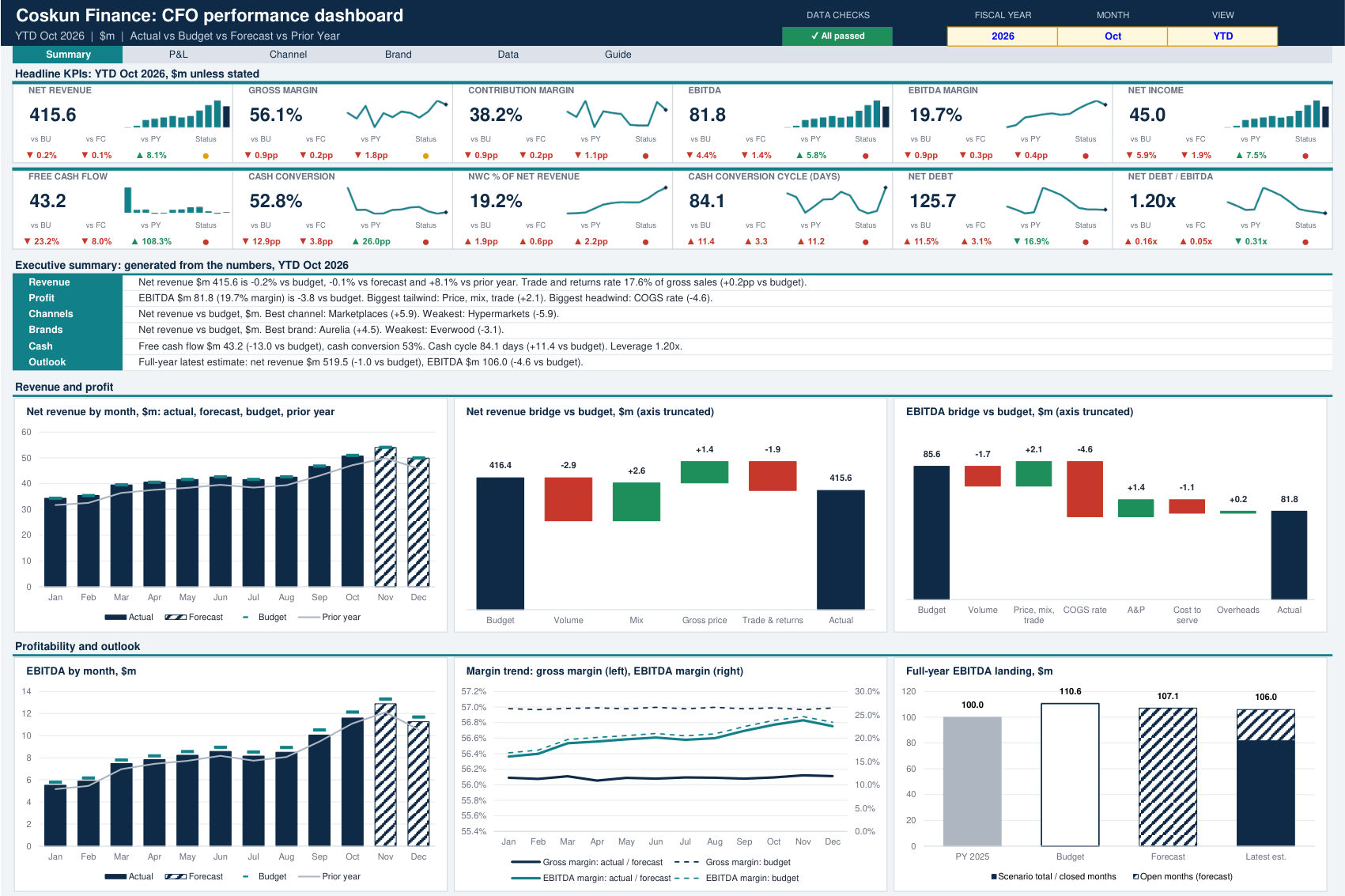
CFO Performance Dashboard: Summary page

Performance reporting

CFO Performance Dashboard

A linked pack for a finance director or CFO who wants one view of actuals against budget, forecast and prior year.

You load one flat data table and every page recalculates from it. A year, month and view selector moves the whole pack between month, year to date and full-year outlook, where the outlook is actuals plus the remaining forecast.

What is inside

  • Summary: 12 KPI cards, an executive summary that writes itself from the numbers, 15 charts and a 30-KPI scorecard
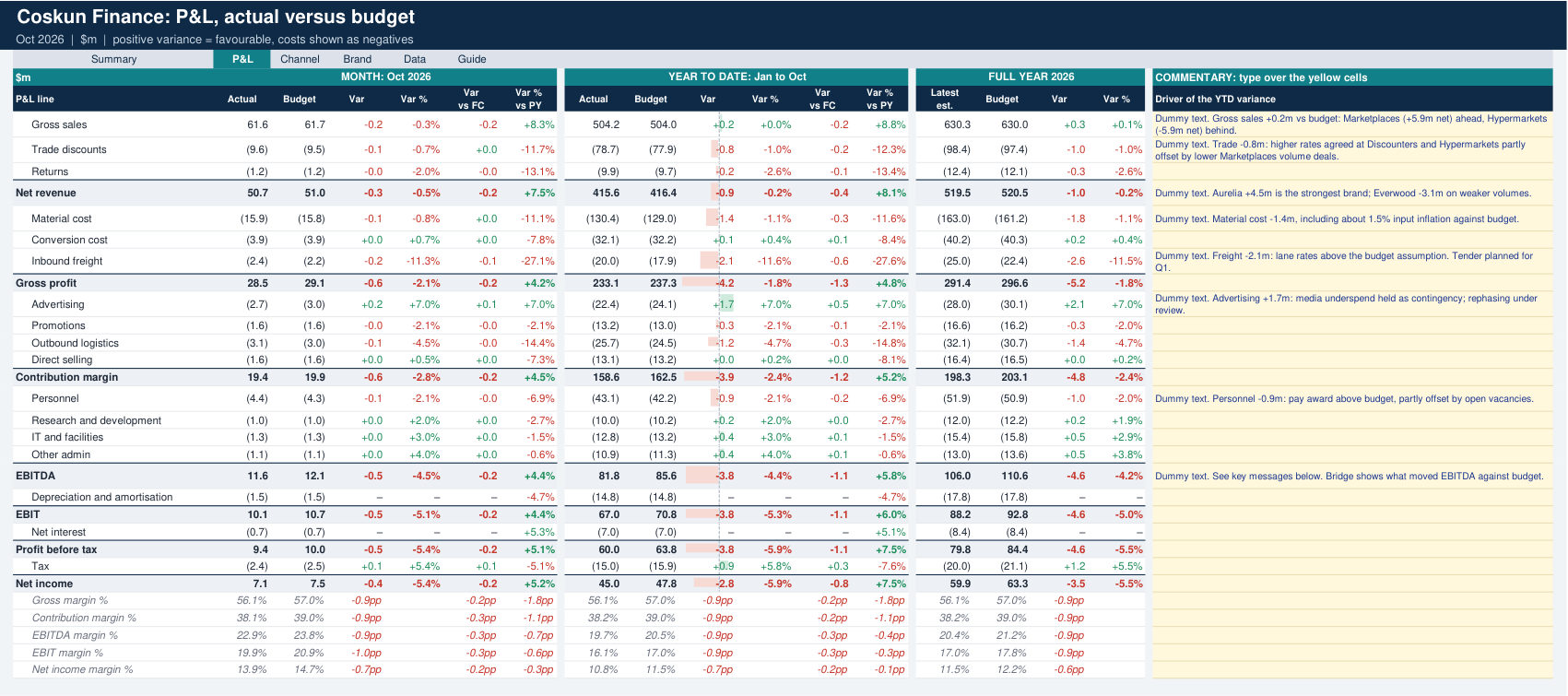
  • P&L: month, year to date and full year against budget, with line commentary and a risks and opportunities table
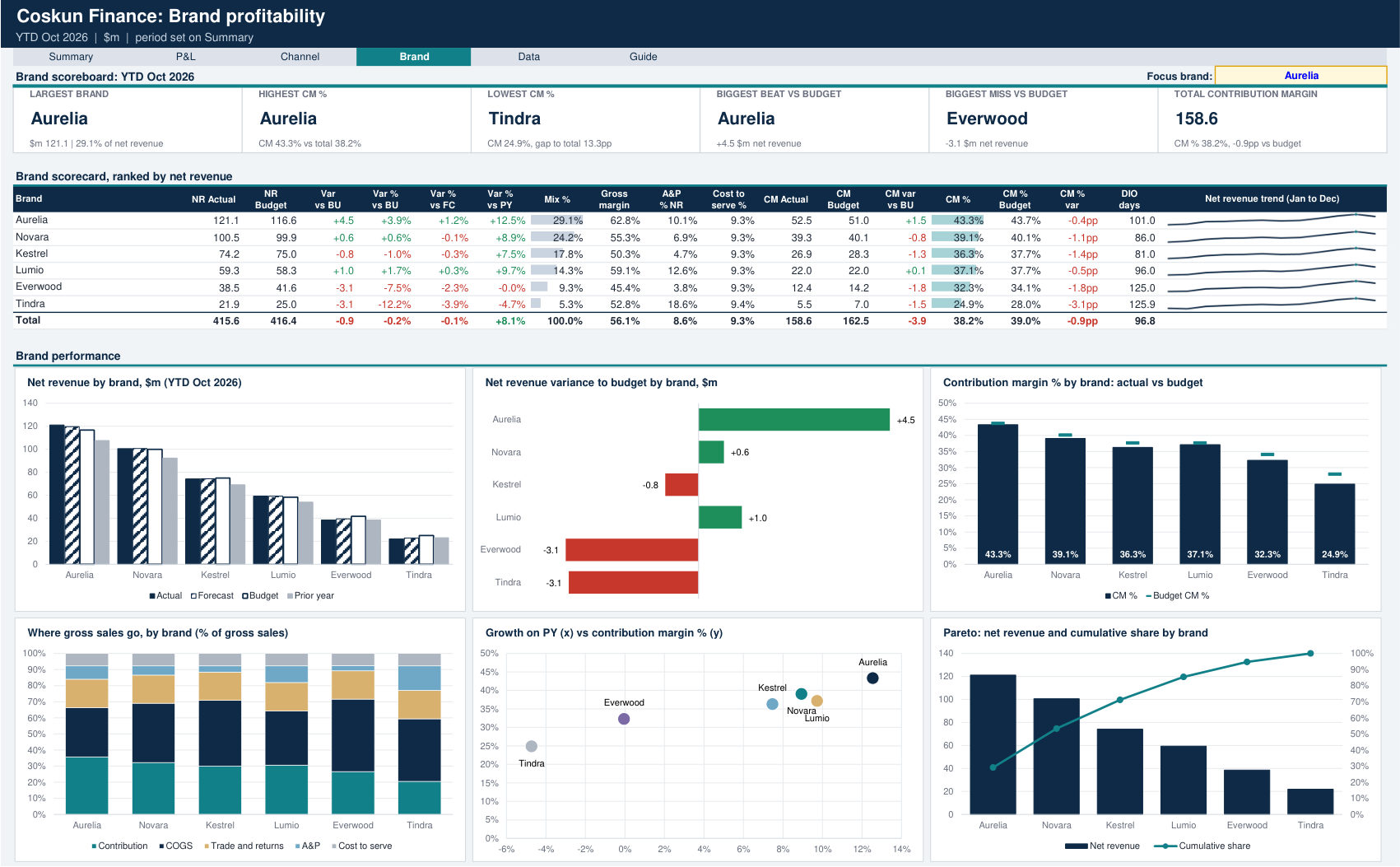
  • Channel and Brand: ranked scorecards, P&L, price, volume and mix analysis, heatmaps and a one-click focus view
  • Data: one table for actuals, budget, forecast and prior year
  • Guide: KPI definitions and 14 live integrity checks

Best for

Monthly business reviews and board packs where the question is how we are doing against plan.

7 tabs40 chartsNo macros
Download Excel (0.7 MB)
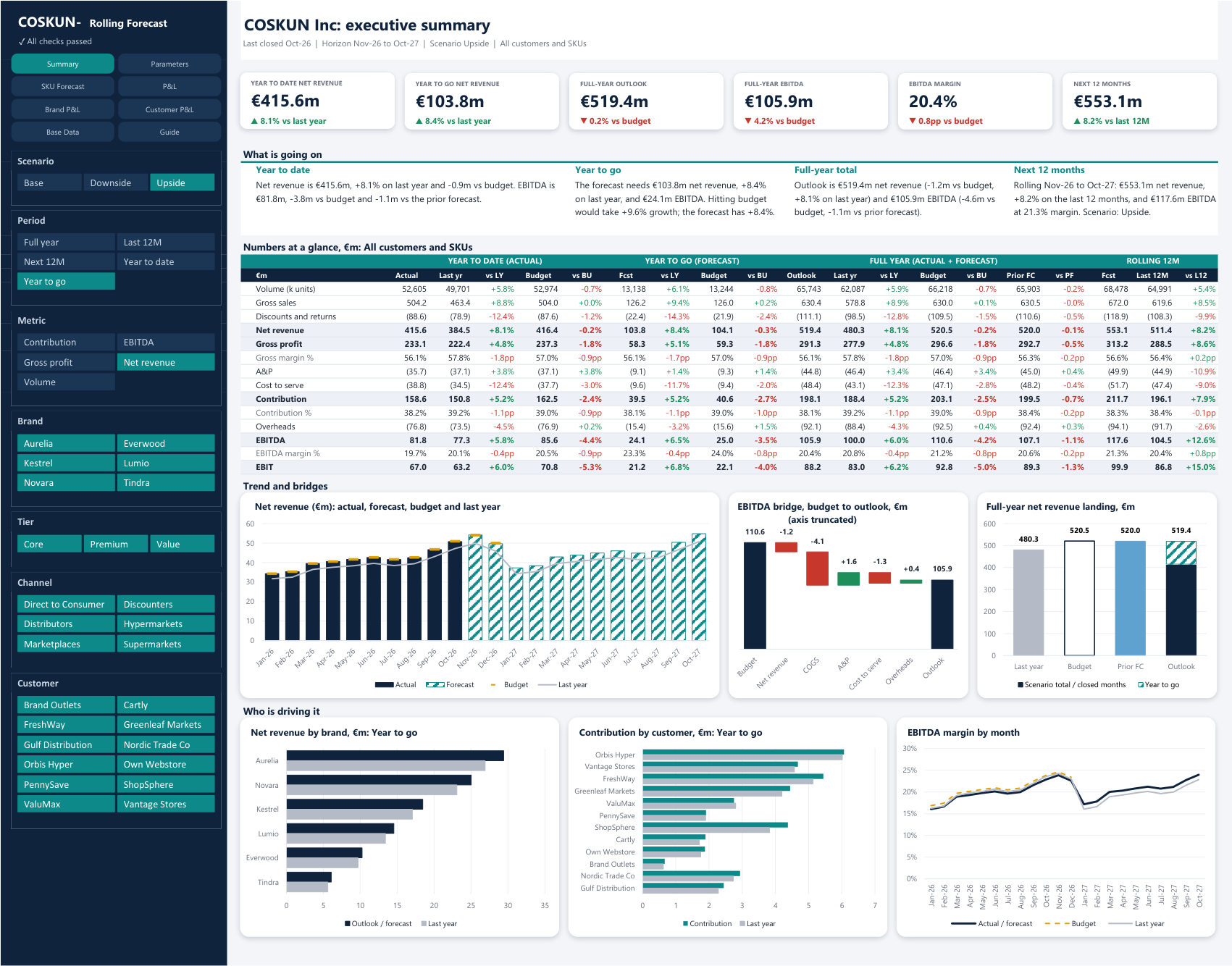
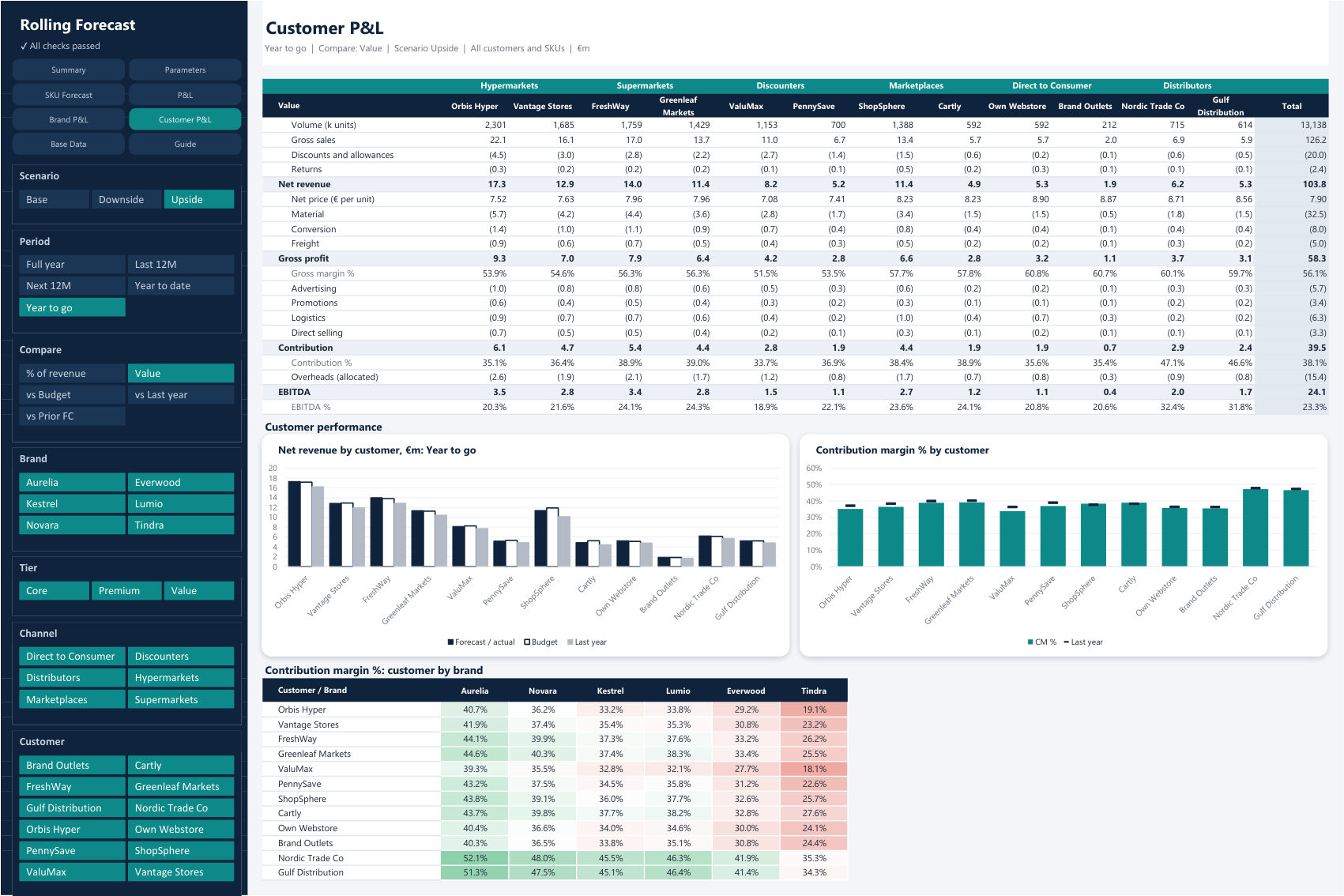
Rolling Forecast Model: Executive summary page

Forecasting

Rolling Forecast Model

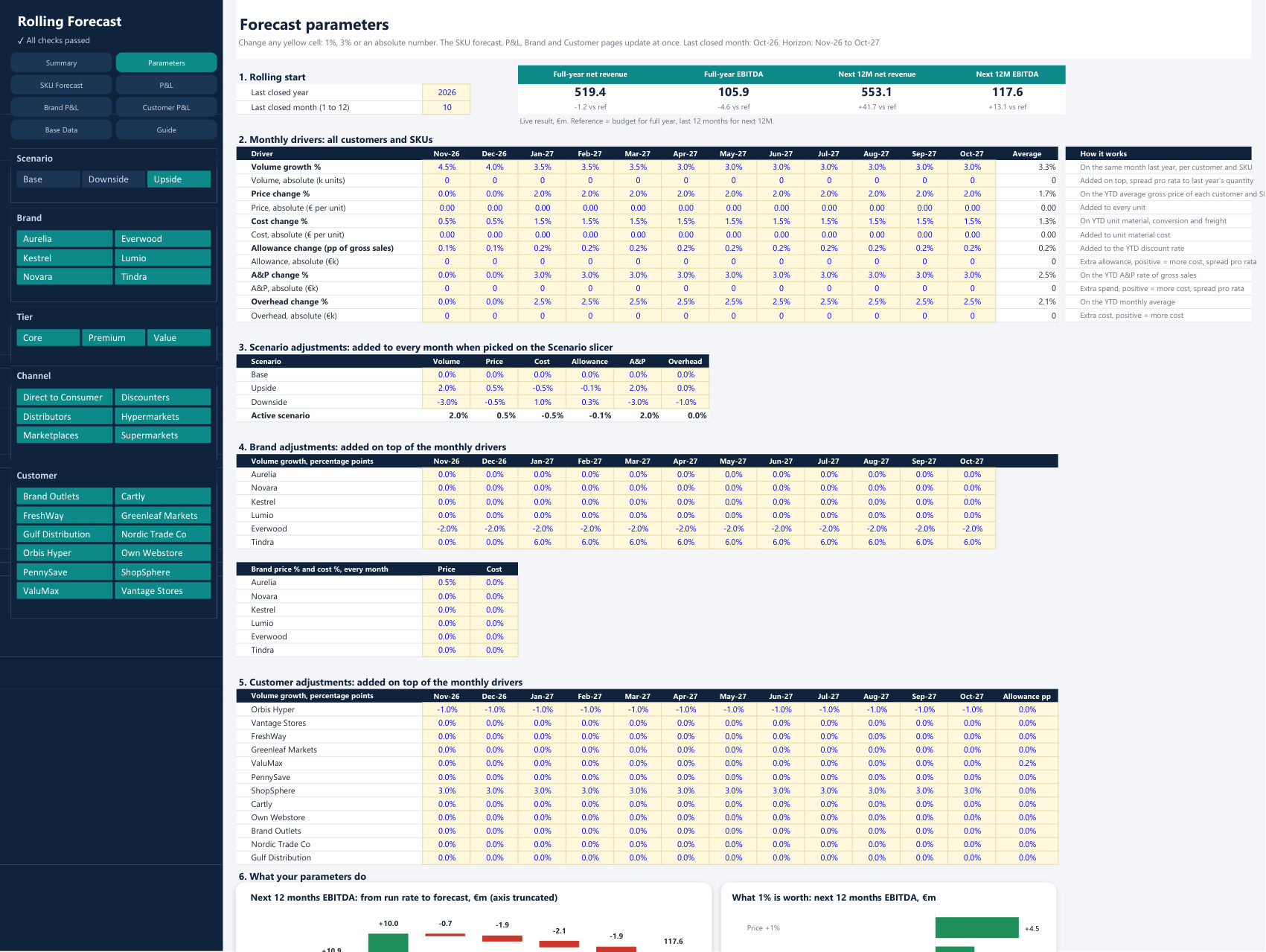
A driver-based rolling 12-month forecast, built up from customer and SKU level, that you run from one Parameters tab.

Actuals by month, customer and SKU give the base: quantity, price, discount and net price, with costs calculated on top. Forecast volume starts from the same month last year, and prices and rates start from the year-to-date average. Change a parameter by a percentage or an absolute amount and the P&L updates at once.

What is inside

  • Parameters: 12 months of growth, price, cost, allowance, A&P and overhead changes, plus brand, customer and scenario adjustments
  • SKU Forecast: 3,456 forecast lines, with yellow columns to override any quantity or price
  • Brand and Customer P&L: compare value, last year, budget, prior forecast or % of revenue with one click
  • Executive Summary: year to date, year to go and full year, plus the next 12 months
  • Driver analysis: a bridge from run rate to forecast, and what 1% of each driver is worth

Best for

Monthly forecast rounds and what-if work. Slicers drive live formulas directly, so there is nothing to refresh.

12 tabs14 chartsSlicersNo macros
Download Excel (6.7 MB)
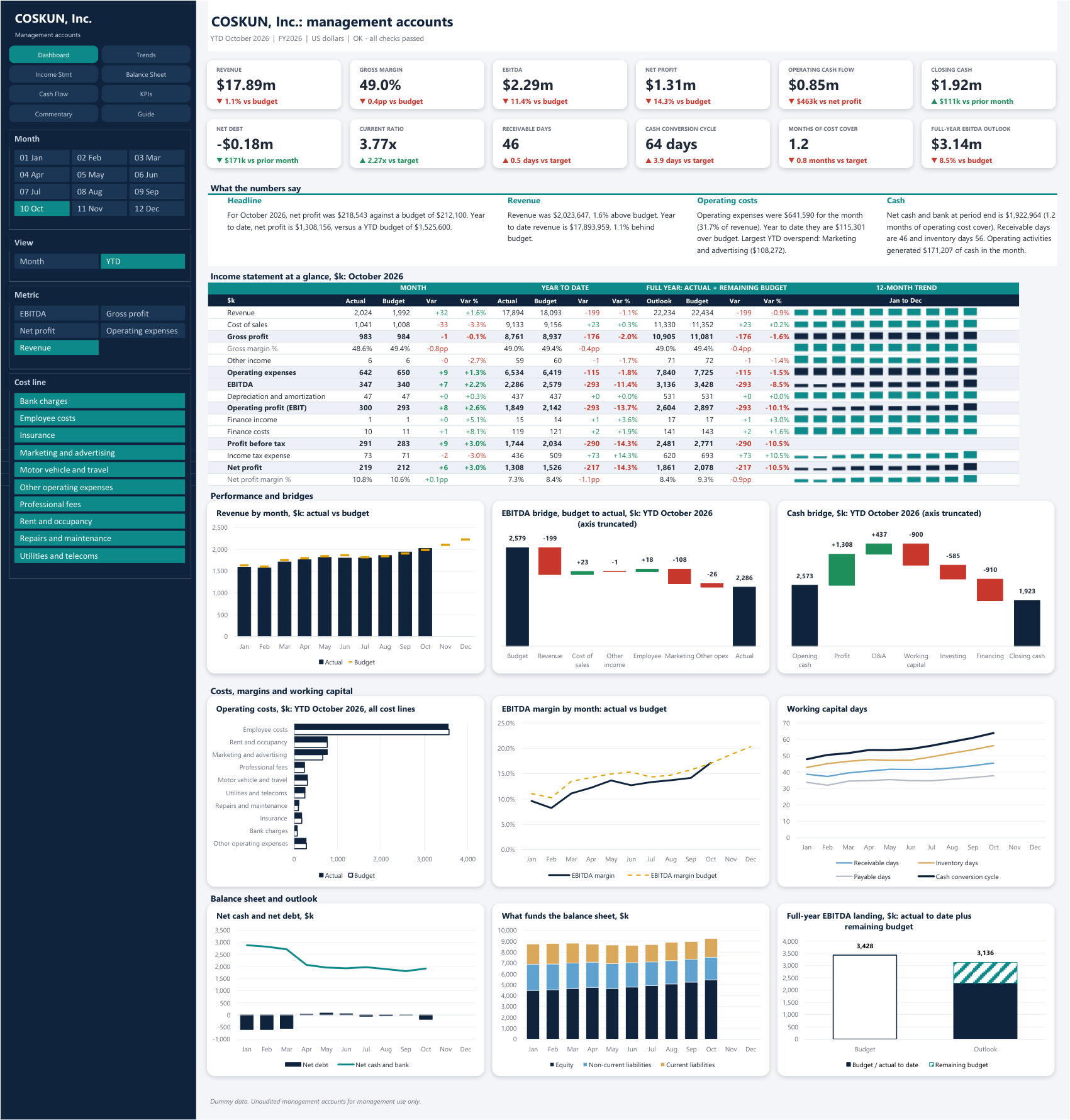
Management Accounts Pack: Dashboard page

Month-end reporting

Management Accounts Pack

A full monthly pack that turns a year-to-date trial balance and a budget into statements, KPIs and commentary, in US dollars.

Map each account to a report line once, then paste the trial balance every month. One Month slicer moves every statement, KPI and chart to the period you pick, and the checks confirm that the trial balance, balance sheet and cash flow all agree before you issue the pack.

What is inside

  • Dashboard: 12 KPI cards, written highlights, EBITDA and cash bridges, and a full-year view of actuals plus remaining budget
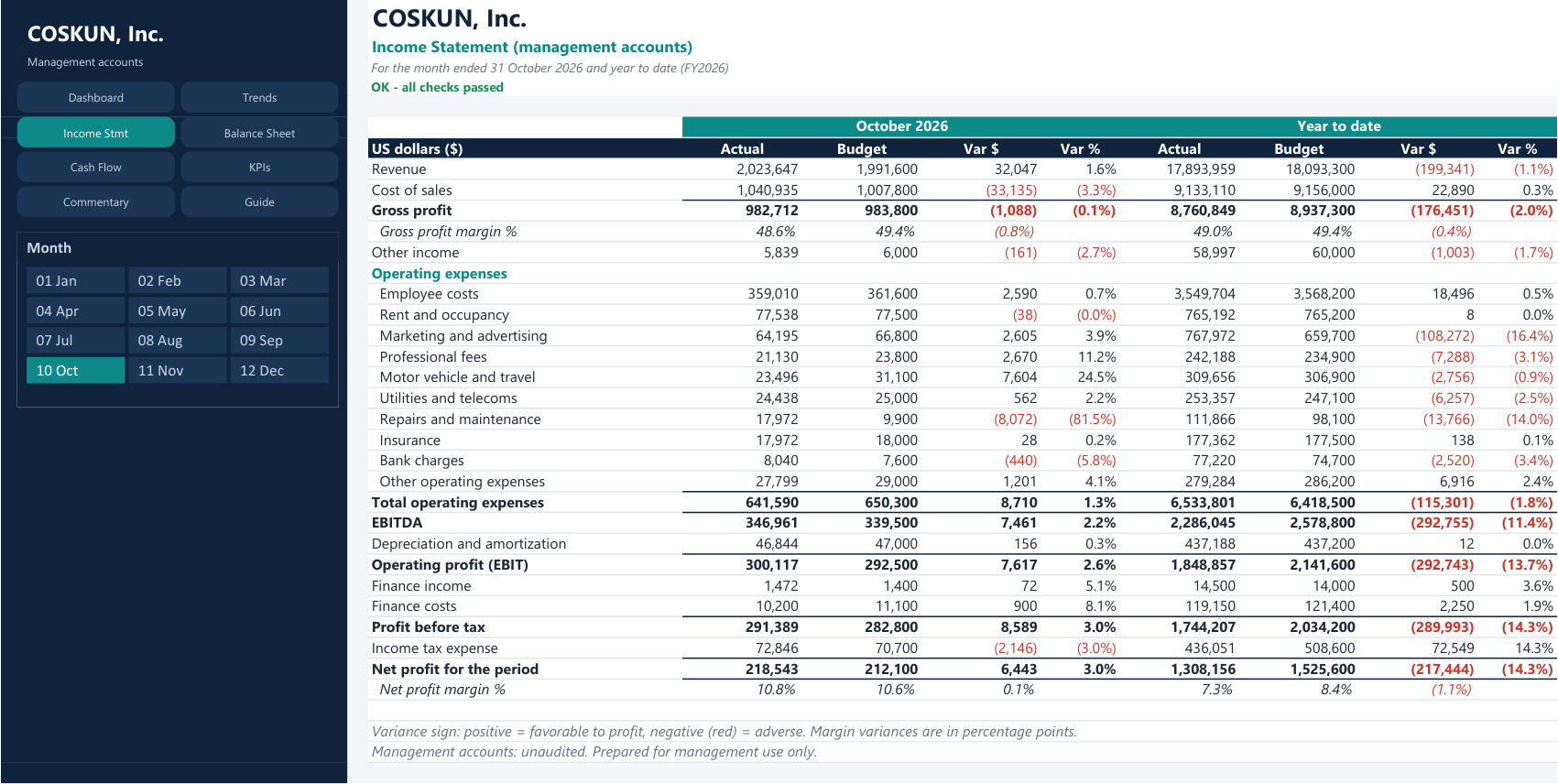
  • Statements: income statement, balance sheet and cash flow, by month and year to date
  • KPIs: margins, liquidity, working capital days and gearing against targets
  • Commentary: a draft written from the numbers, a month-end checklist and example US federal tax dates
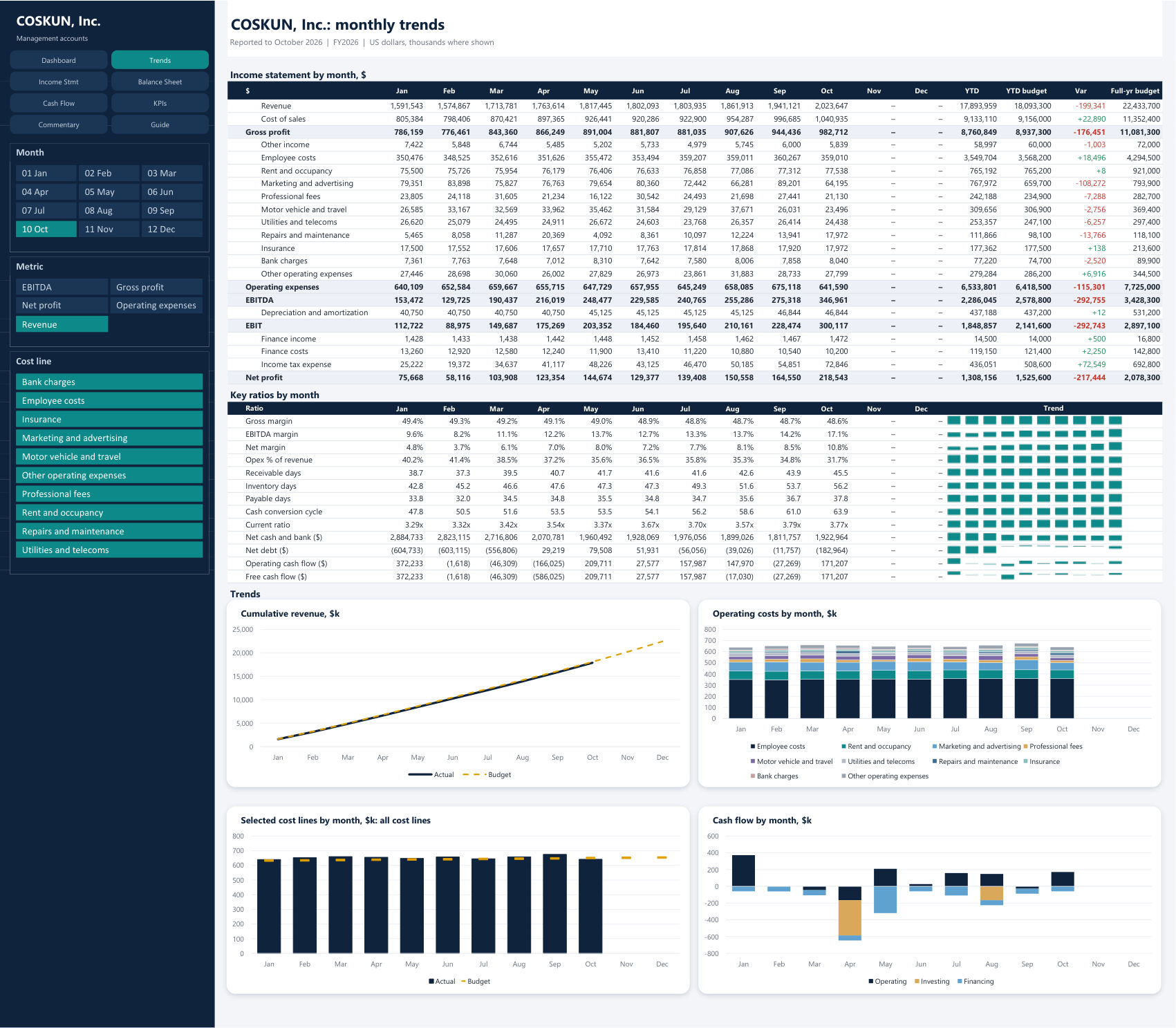
  • Monthly Trends: P&L, ratios and cash by month, with slicers for metric and cost line

Best for

Controllers and small finance teams who close from a trial balance. Tax dates are general examples, so confirm them with your adviser.

Adapted from the free Management Accounts Template by LBA Accounting, shared with attribution. Its licence notice stays in the file, and the template must not be sold.

16 tabs13 chartsSlicersNo macros
Download Excel (0.2 MB)

All companies, brands, customers and numbers in these files are fictional. The templates need desktop Excel 2013 or later; slicers may behave differently elsewhere. They are provided as they are, for general information, and are not professional advice. Check the results before you rely on them.